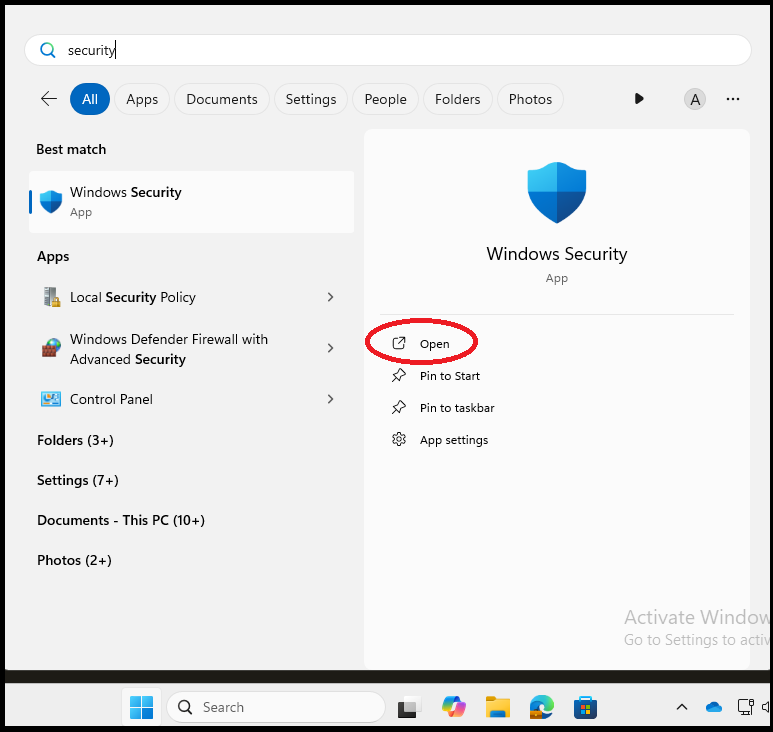
1. Press the Windows key on the keyboard, then type in 'Security'. Click on 'Open' under 'Windows Security'.
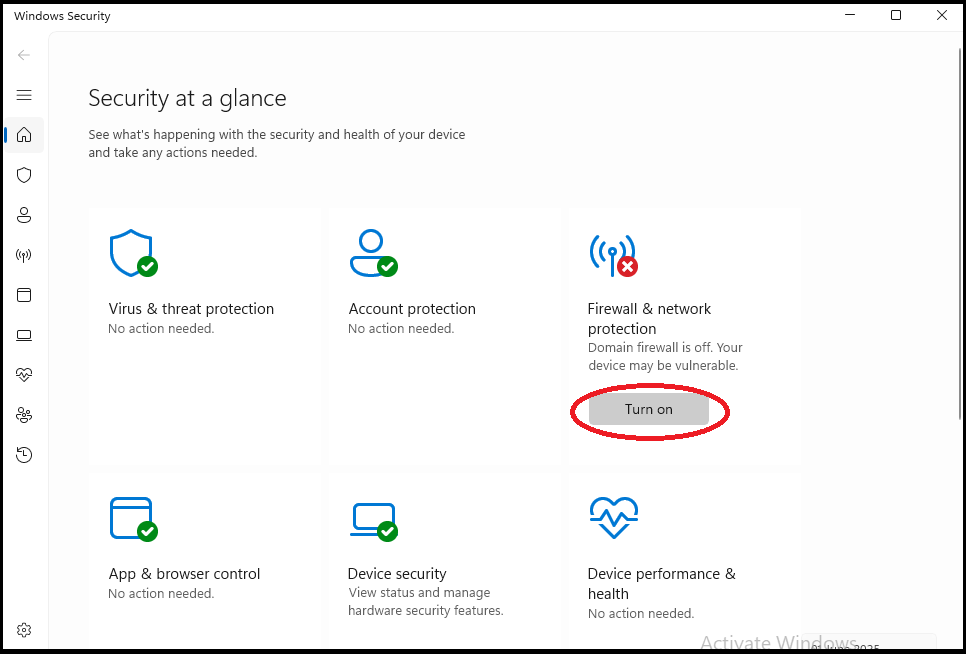
2. A window will appear. What we want to see is all items to have a green tick on it. The Firewall may have a red cross like the below image. Click on the button 'Turn on'.
If there are no red cross icons, this means that the firewall is on, but Company Portal does not know this yet. Leave the laptop for 10 minutes, reboot, log back in, then check Company Portal again. If after the reboot Company Portal says it is all good, you can go back to the previous set of steps by pressing the 'Back' button on your Internet Browser.
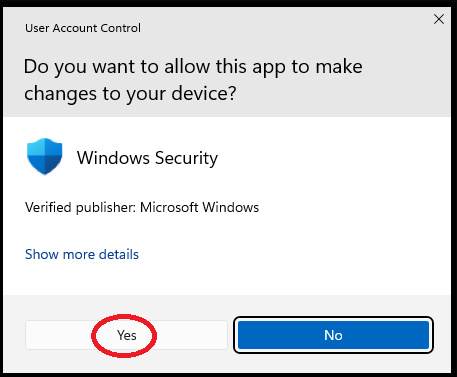
3. Click on 'Yes' if the below appears.
4. Close the 'Windows Security' window.
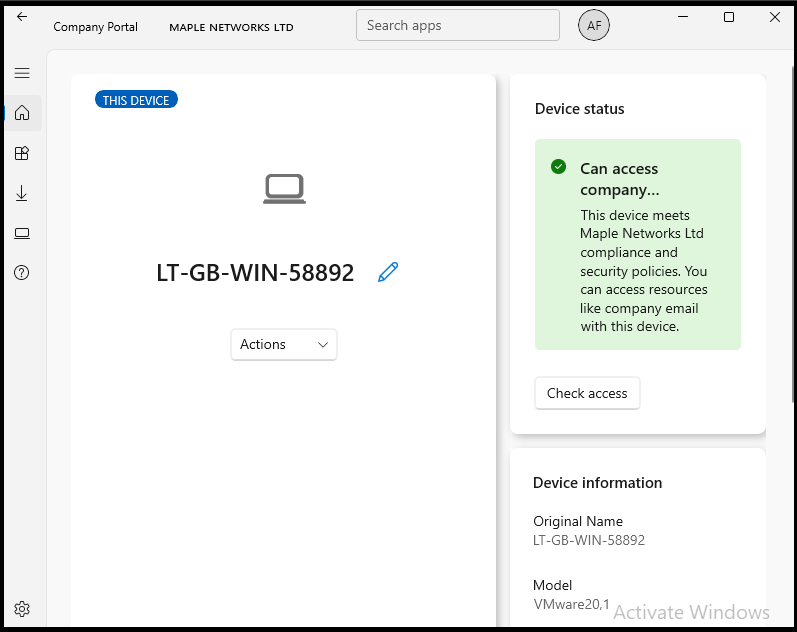
5. Back in 'Control Panel', click 'Check access'.
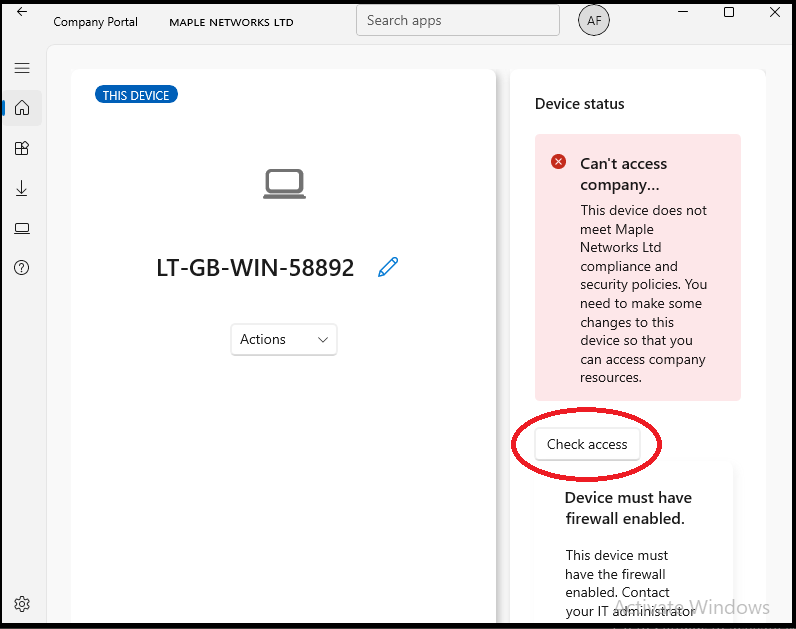
6. Hopefully it will shortly say that the laptop is now compliant.
As your laptop is now compliant, click here to see the next steps.