Lenovo laptops come with McAfee, but we do not use it as we use Microsoft Defender. The below steps show how to uninstall McAfee.
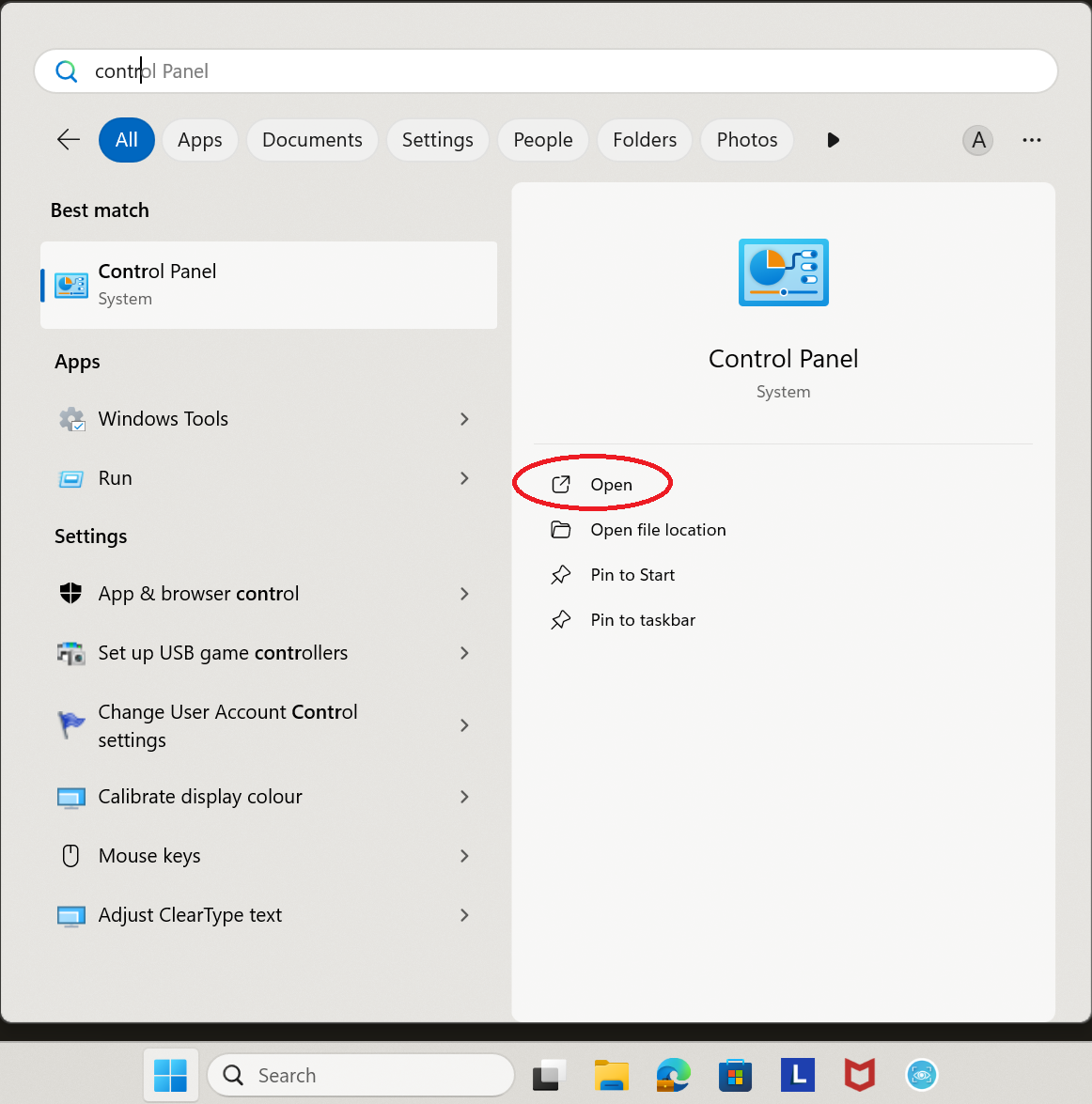
1. Press the Windows key on your keyboard, then type ‘control’. Click on ‘Open’ on ‘Control Panel’.
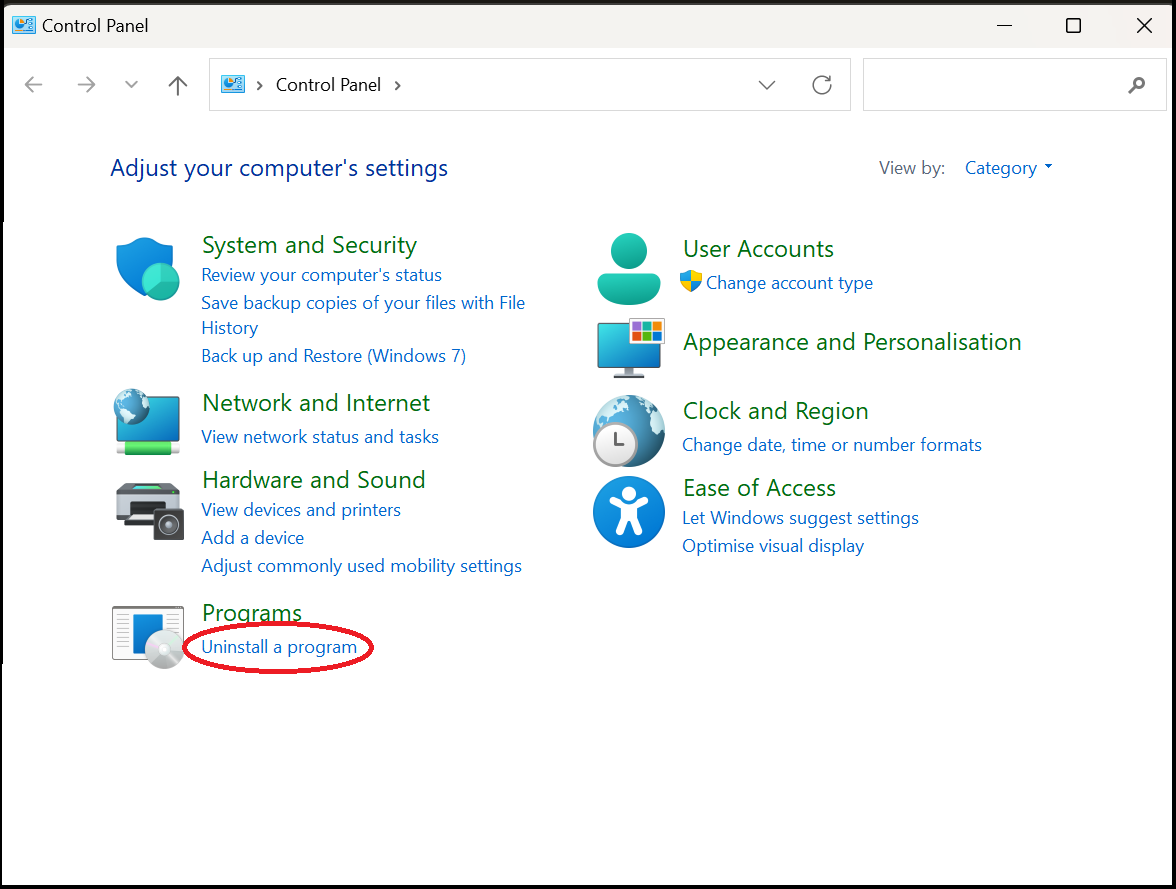
2. Click on ‘Uninstall a program’.
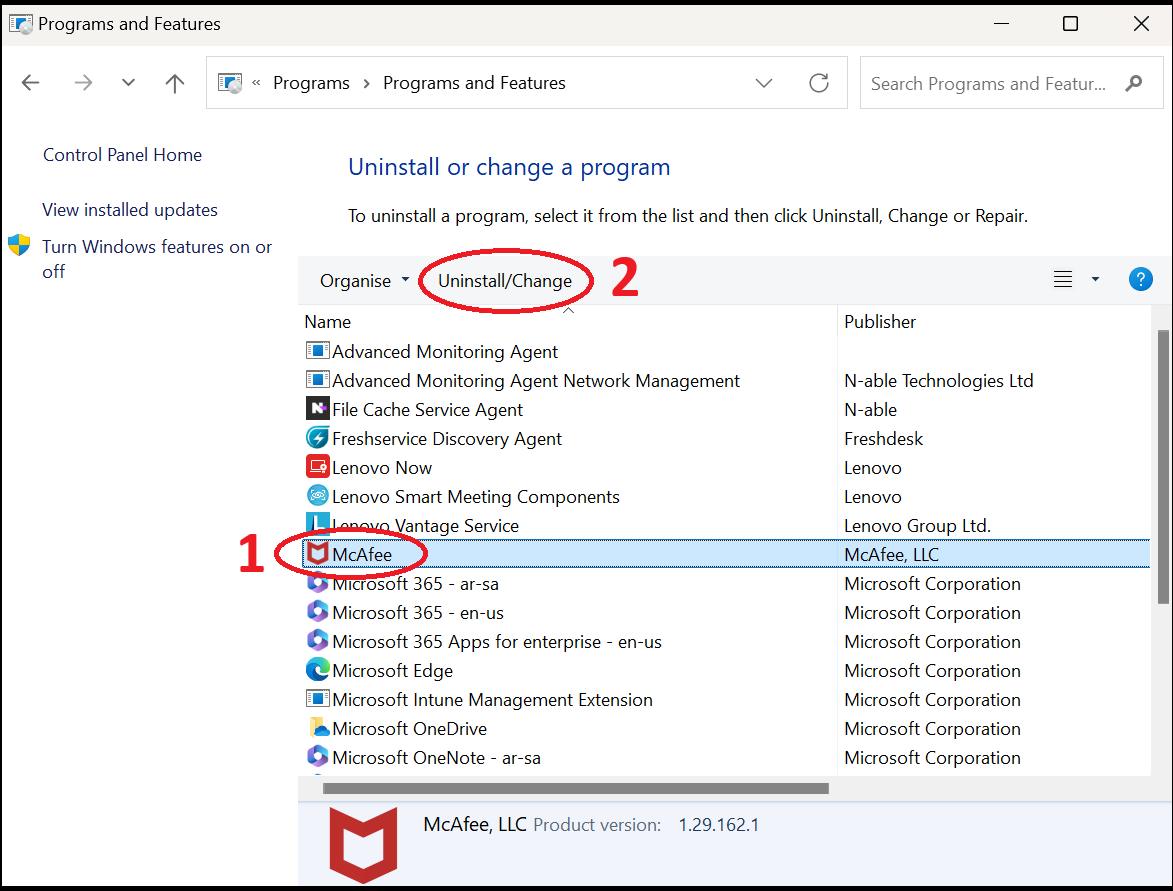
3. Select ‘McAfee’, then click on ‘Uninstall/Change’.
4. Click ‘Yes’ on the pop-up that appears.
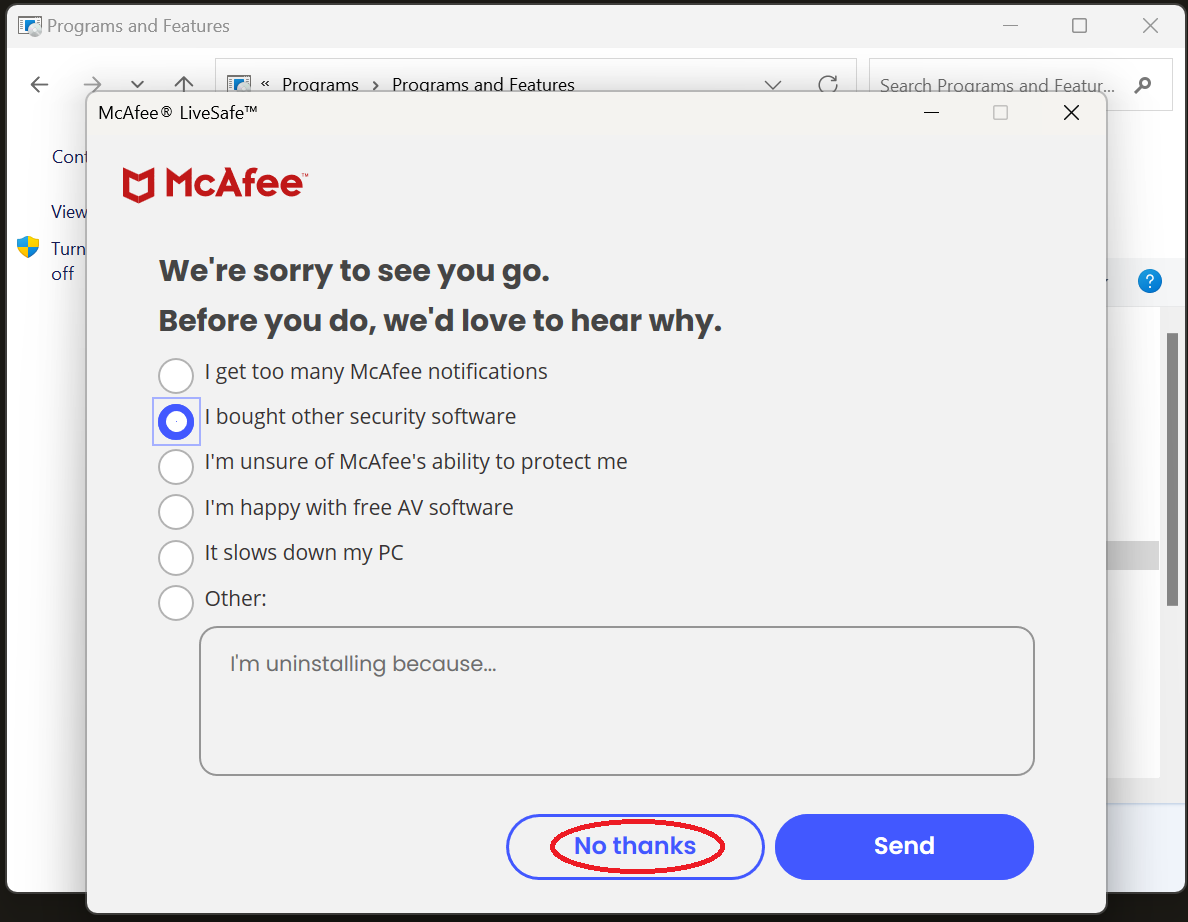
5. Click on ‘No thanks’.
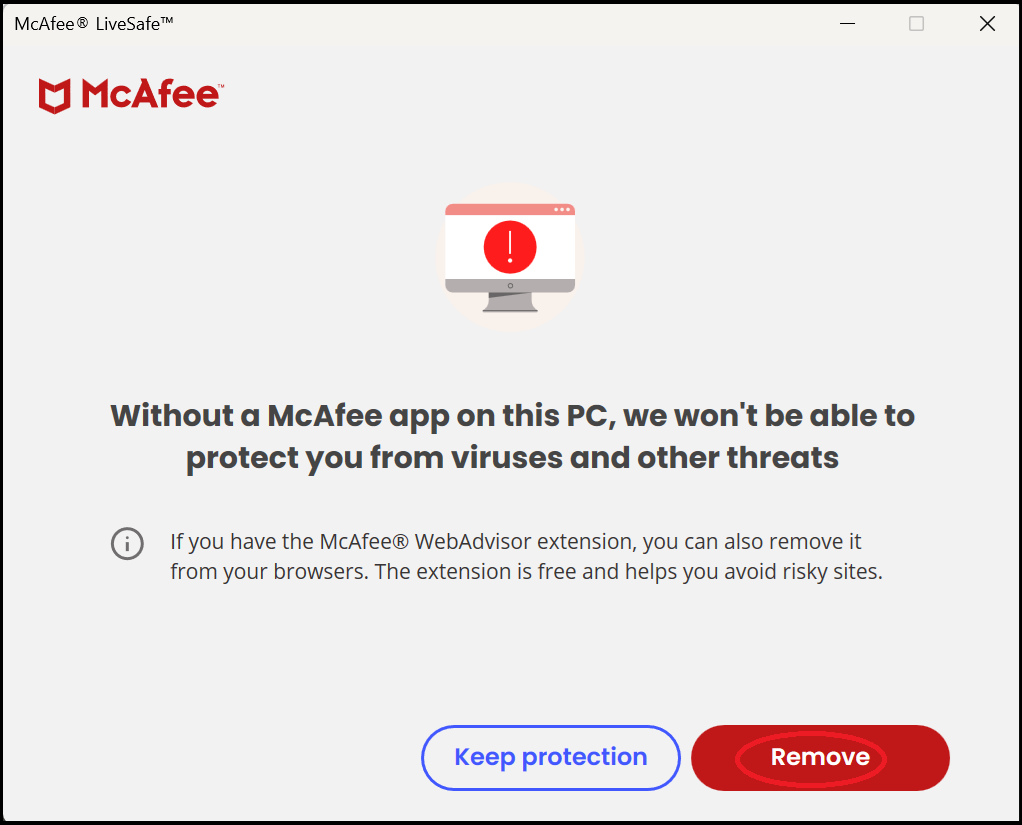
6. Click on ‘Remove’, and the same on the next screen.
7. Click on ‘Restart now’.
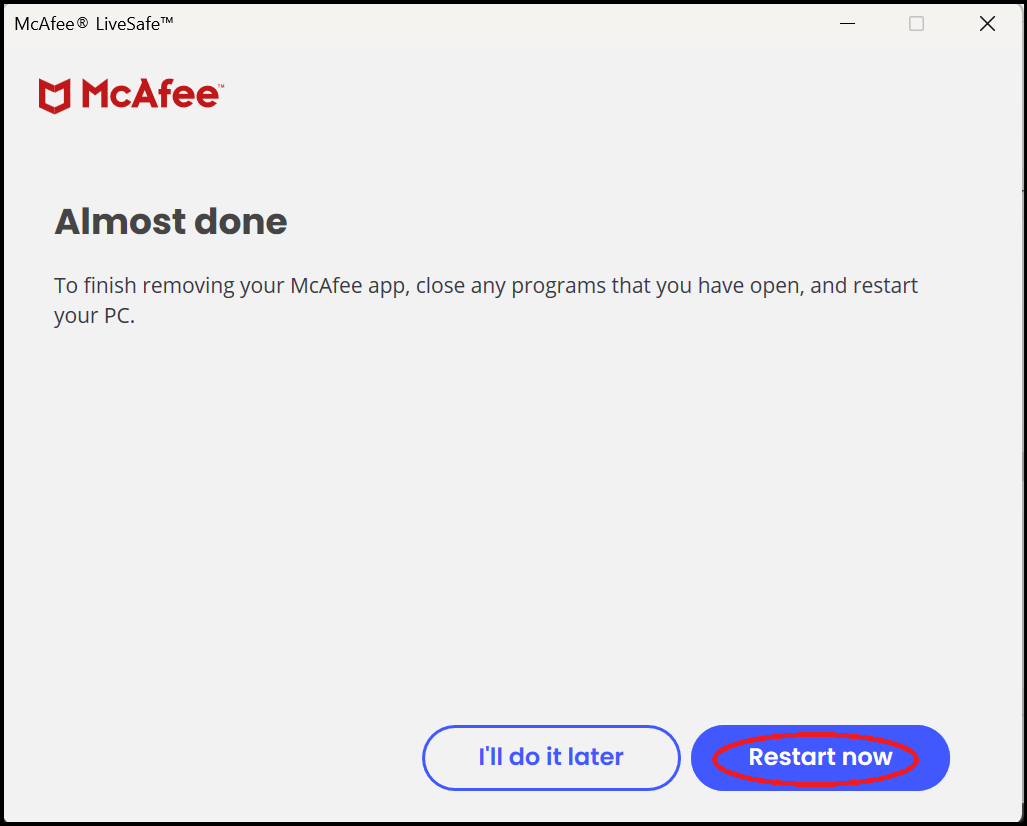
8. The laptop will now restart. Log back into Windows once you are able to.
9. Press the Windows key on your keyboard, then type ‘control’. Click on ‘Open’ on ‘Control Panel’.
10. Click on ‘Uninstall a program’.
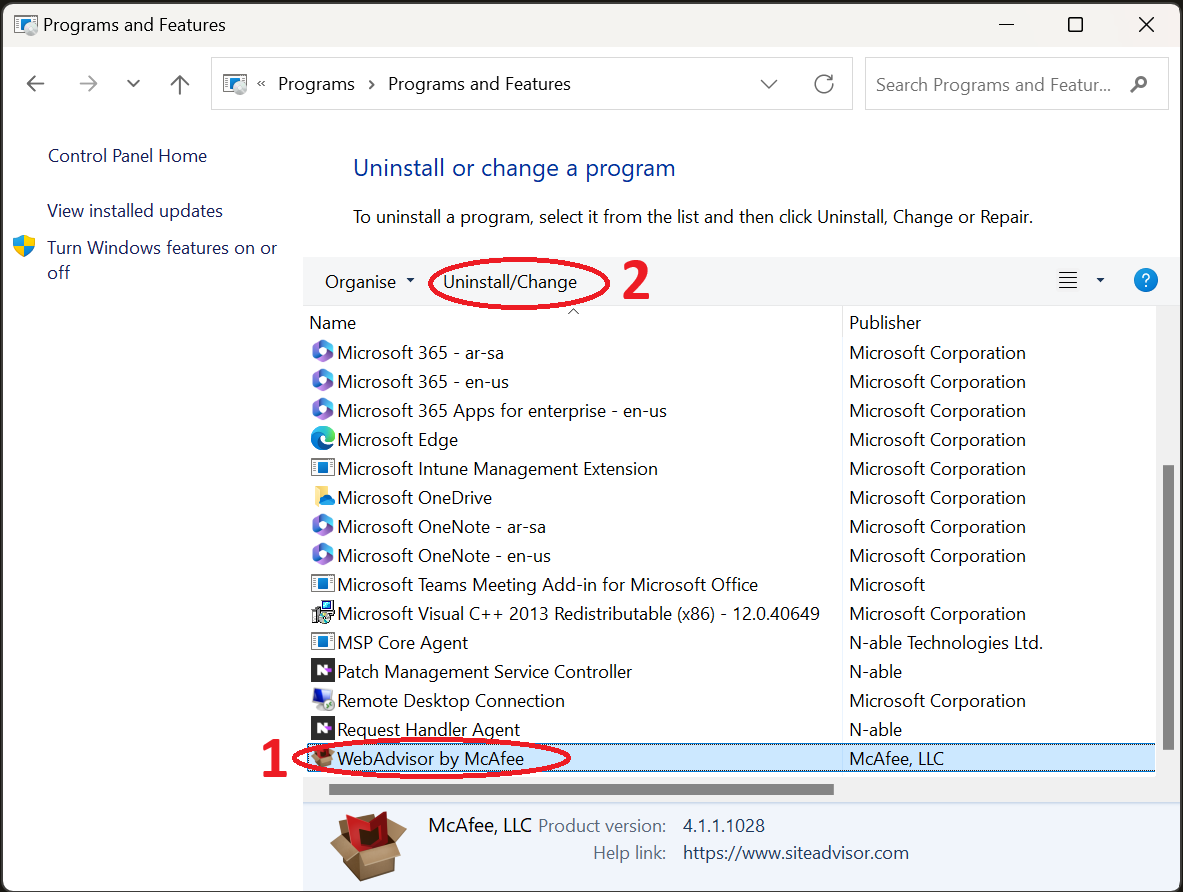
11. Select ‘WebAdvisor by McAfee’, then click on ‘Uninstall/Change’.
12. Click ‘Yes’ on the pop-up that appears.
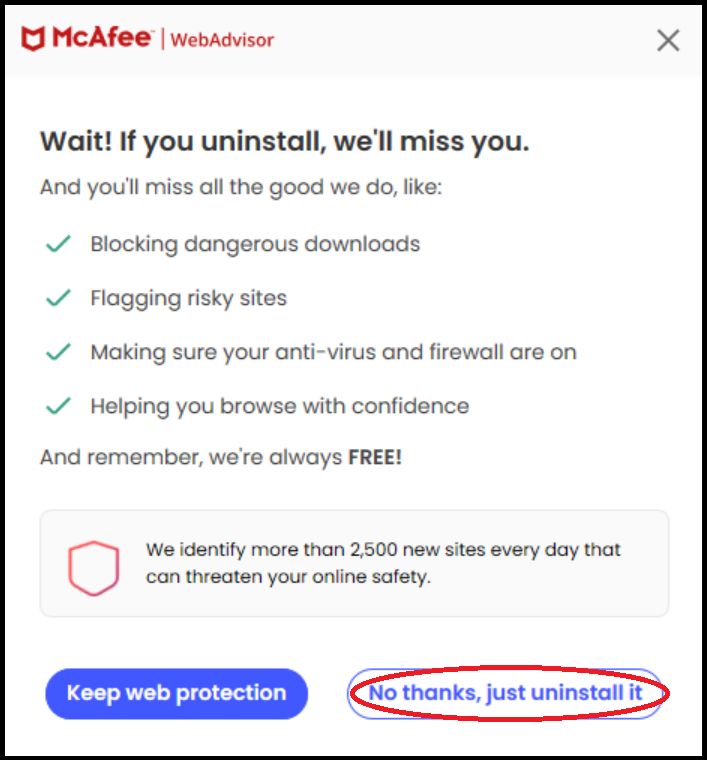
13. Click on ‘No thanks, just uninstall it’.
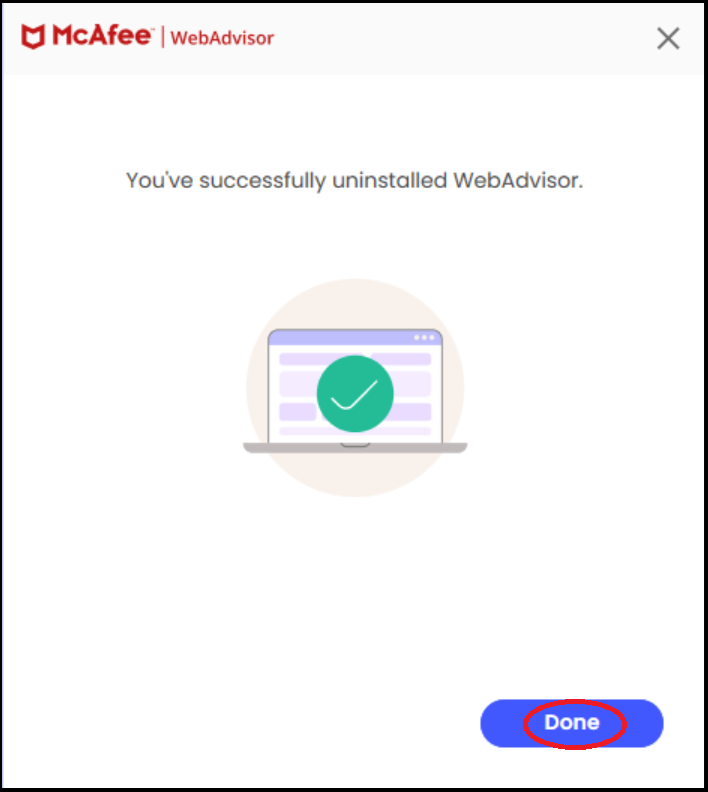
14. Click on ‘Done’.
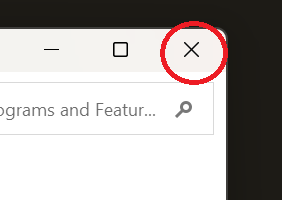
15. Close the window ‘Programs and Features’.
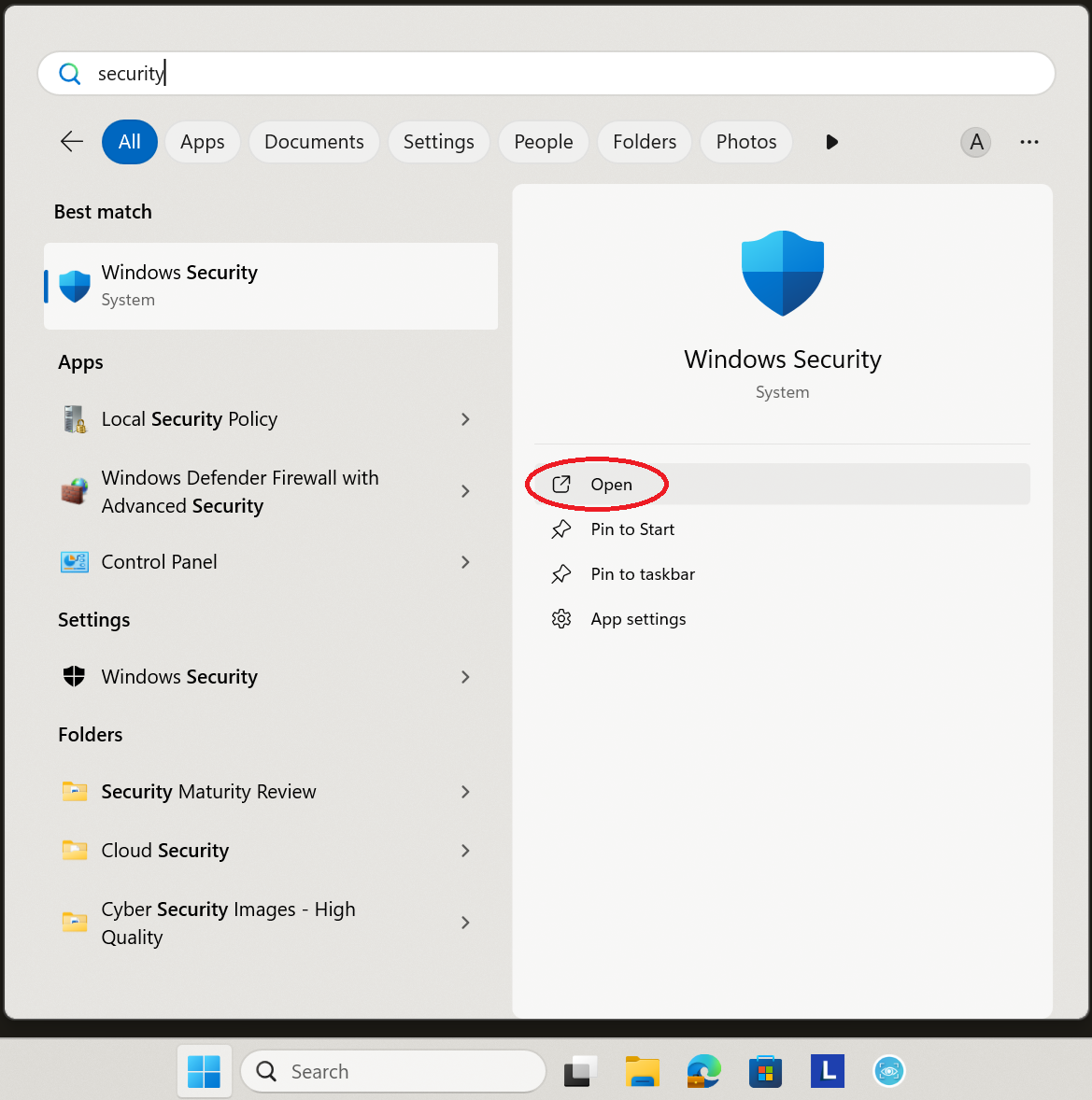
16. Press the Windows key on your keyboard, then type in ‘Security’. Click on ‘Open’ for ‘Windows Security’.
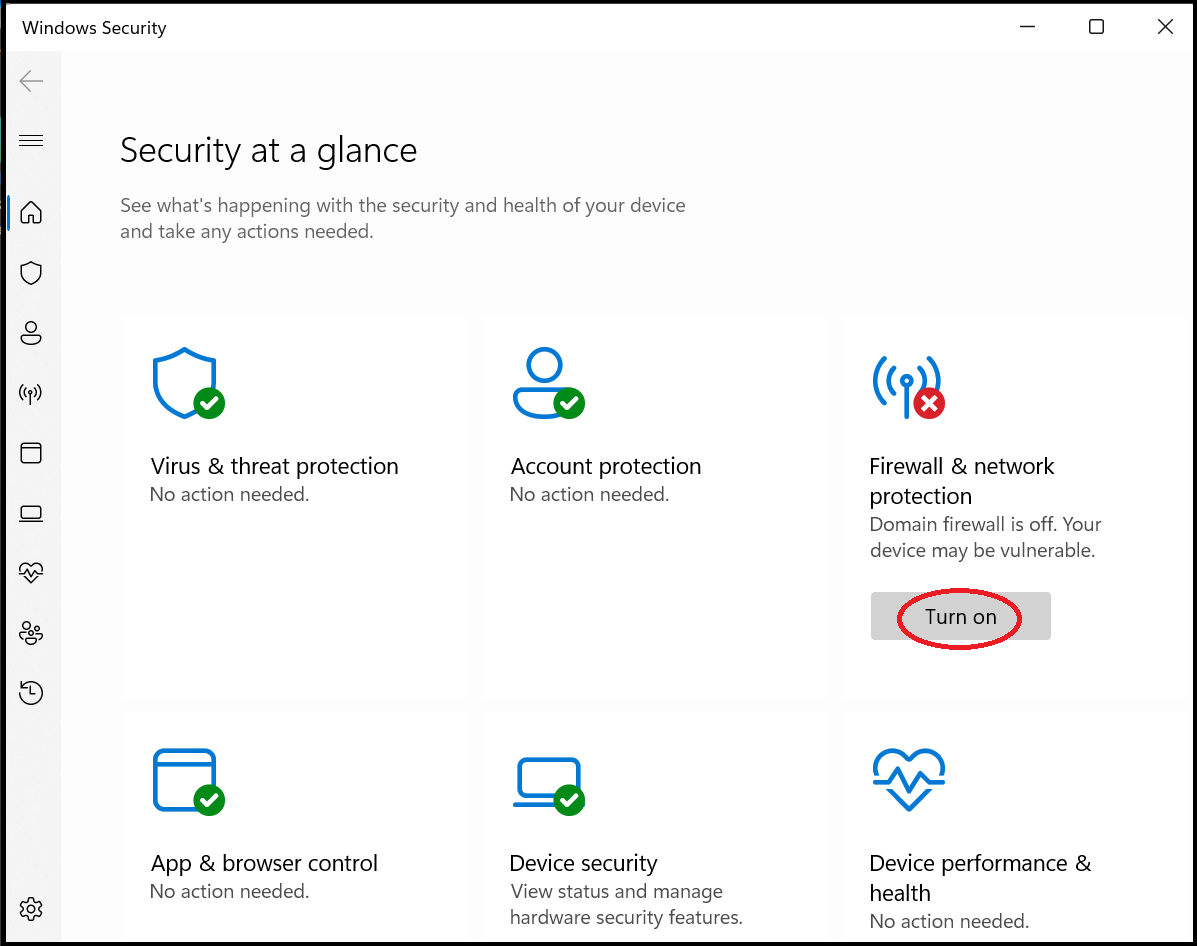
17. ‘Firewall & network protection’ will have a red cross on it. Click on ‘Turn on’.
18. Click on ‘Yes’ on the pop-up window.
19. Close ‘Windows Security’.
Please now press the ‘Back’ button on your Browser to return to the previous page